> ## Documentation Index
> Fetch the complete documentation index at: https://docs.monterey.ai/llms.txt
> Use this file to discover all available pages before exploring further.
# Jira
> Create Jira tickets from customer feedback or themes
 ## Set up
Go to the [integration settings page](https://insights.reforge.com/w/default/settings/integrations/) and to set up your Jira integration. Follow the steps below to connect your Jira account. Only admins of your Reforge Insights workspace can set up the Jira integration.
## Usage
You can **create a Jira issue from any individual feedback Snippet** in your Reforge Insights workspace.
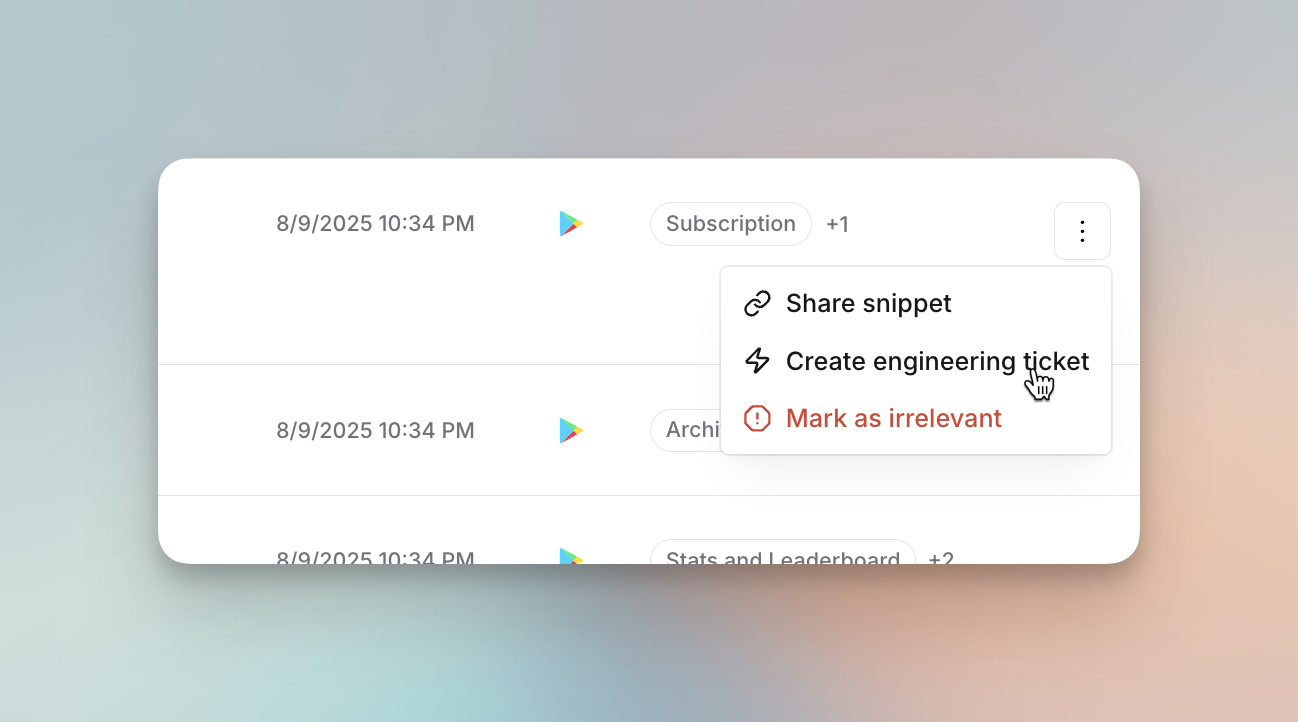
* In the menu on each Snippet, you will see a 'Create engineering ticket' option which will bring up a form requiring a title, team and assignee.
* The Issues title will be pre-filled based on the feedback, with optional fields for description and project.
* After clicking on "Create issue", the Jira ticket will be created and found in the specified issue list in your Jira workspace.
## Set up
Go to the [integration settings page](https://insights.reforge.com/w/default/settings/integrations/) and to set up your Jira integration. Follow the steps below to connect your Jira account. Only admins of your Reforge Insights workspace can set up the Jira integration.
## Usage
You can **create a Jira issue from any individual feedback Snippet** in your Reforge Insights workspace.
* In the menu on each Snippet, you will see a 'Create engineering ticket' option which will bring up a form requiring a title, team and assignee.
* The Issues title will be pre-filled based on the feedback, with optional fields for description and project.
* After clicking on "Create issue", the Jira ticket will be created and found in the specified issue list in your Jira workspace.
 ## User Access
Anyone with access to your workspace can create a ticket in Jira, even if they don't have a Jira account. Only users with a Jira account will be able to view and manage the ticket in Jira.
## User Access
Anyone with access to your workspace can create a ticket in Jira, even if they don't have a Jira account. Only users with a Jira account will be able to view and manage the ticket in Jira.