> ## Documentation Index
> Fetch the complete documentation index at: https://docs.monterey.ai/llms.txt
> Use this file to discover all available pages before exploring further.
# Organize feedback with Tags
> Tags in Insights help you organize and train your data, making feedback clustering and analysis more accurate over time.
 ### Creating Tags
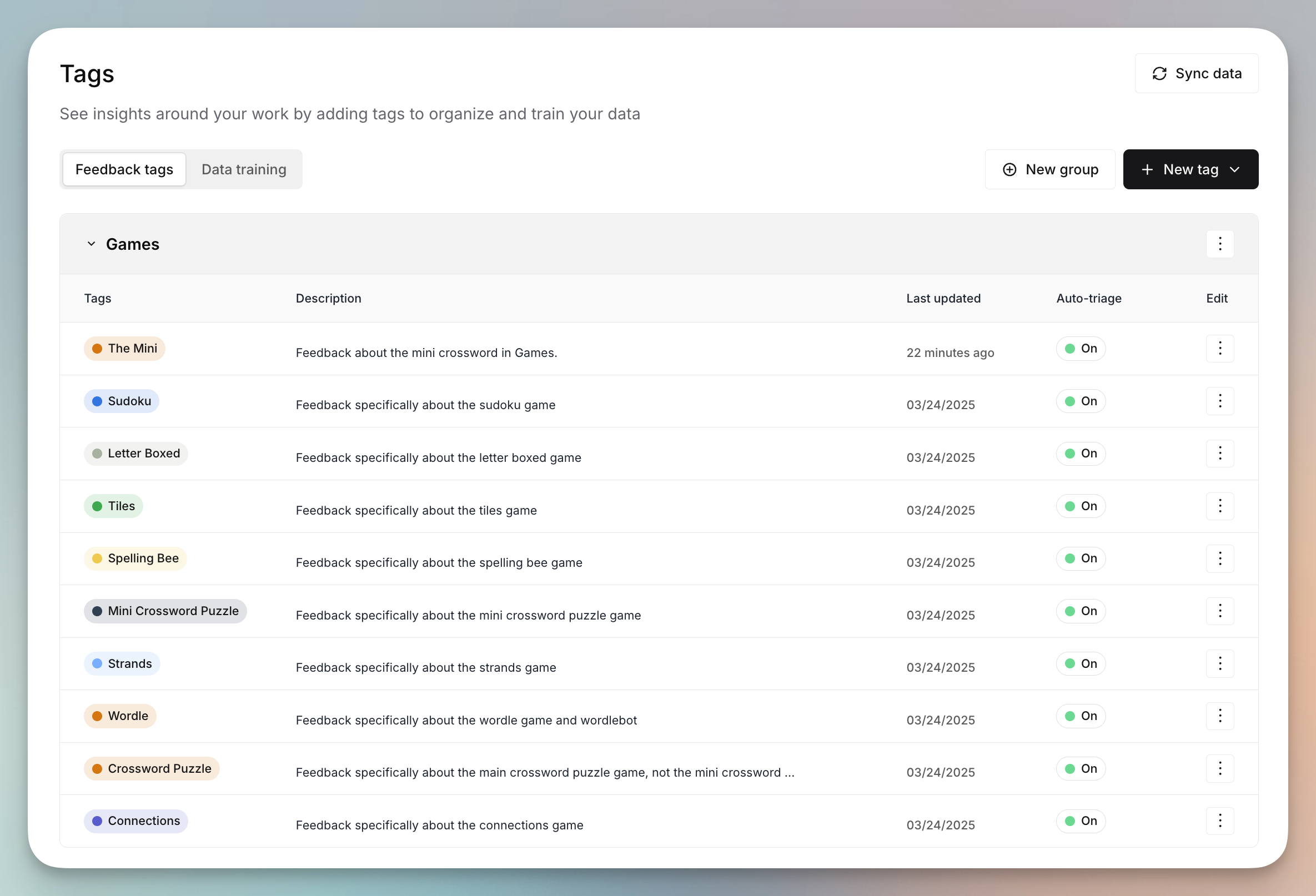
* **Add new tags** for projects, teams, features, or other focus areas.
* Tags are especially helpful for unique or specific feature names, project codenames, or internal company terms that may be more difficult for our AI to detect and understand.
* Each tag includes:
* A **short label** and **description** for clarity
* An optional **color** for easy recognition
* A **tag group** for organization
### Creating Tags
* **Add new tags** for projects, teams, features, or other focus areas.
* Tags are especially helpful for unique or specific feature names, project codenames, or internal company terms that may be more difficult for our AI to detect and understand.
* Each tag includes:
* A **short label** and **description** for clarity
* An optional **color** for easy recognition
* A **tag group** for organization
 ### Auto-triage & AI labeling
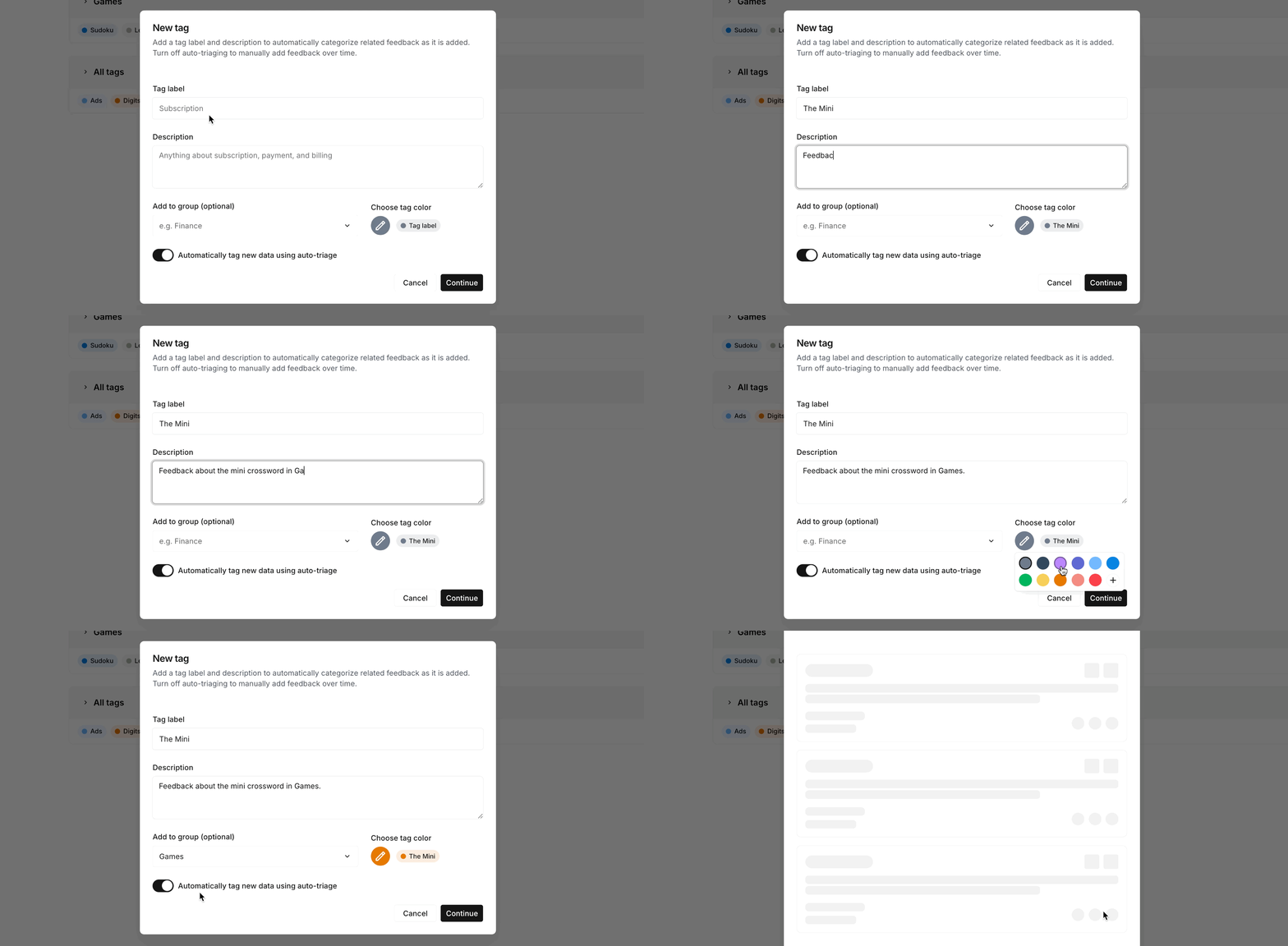
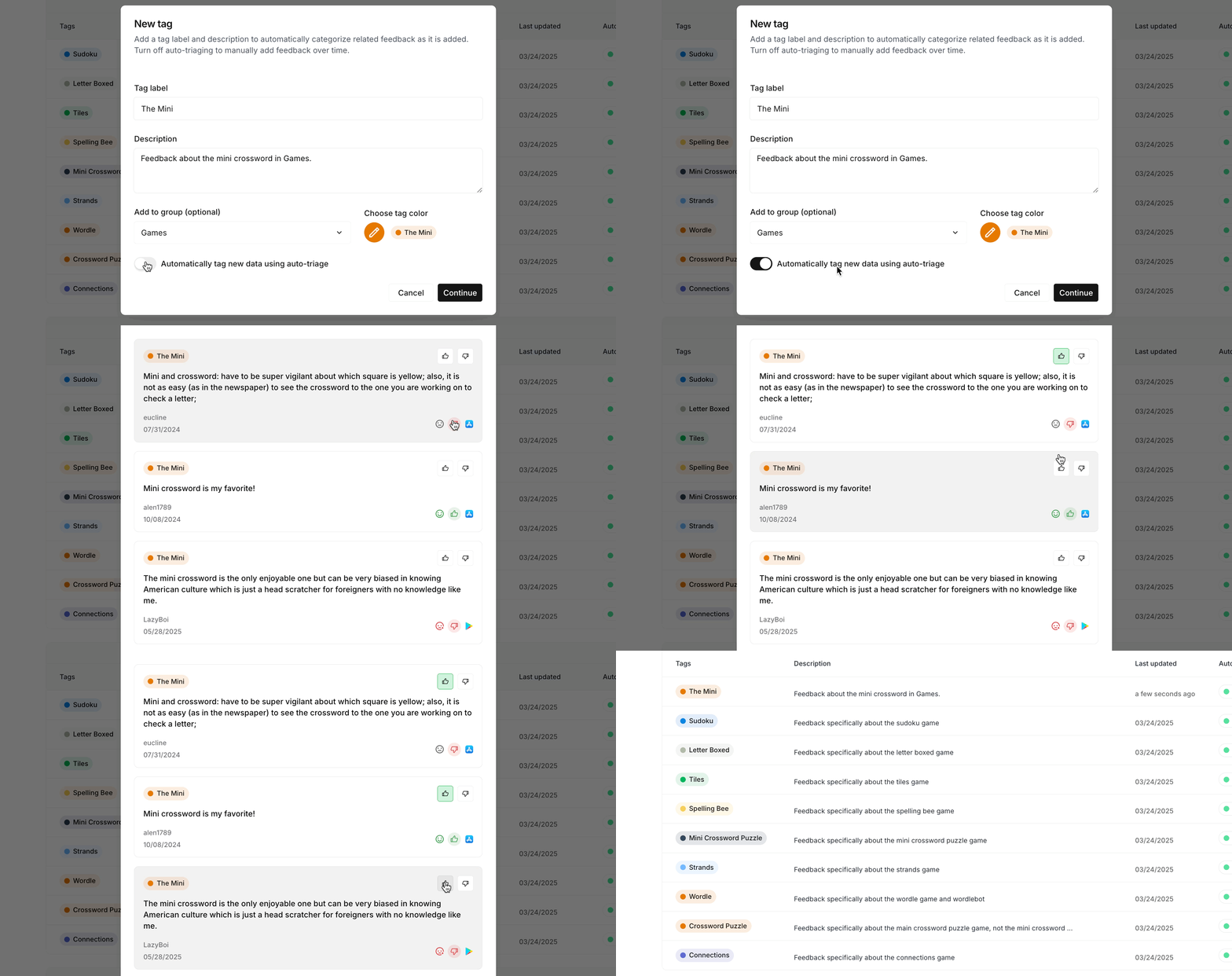
* Use **auto-triage** to automatically label new feedback as it comes in.
* This trains the system’s AI model to **sort future feedback into the right clusters**, improving the accuracy of themes and reports.
* Once you've added a tag, you'll have the option of reviewing a few existing snippets to apply the new tag to help kickstart labeling.
### Auto-triage & AI labeling
* Use **auto-triage** to automatically label new feedback as it comes in.
* This trains the system’s AI model to **sort future feedback into the right clusters**, improving the accuracy of themes and reports.
* Once you've added a tag, you'll have the option of reviewing a few existing snippets to apply the new tag to help kickstart labeling.
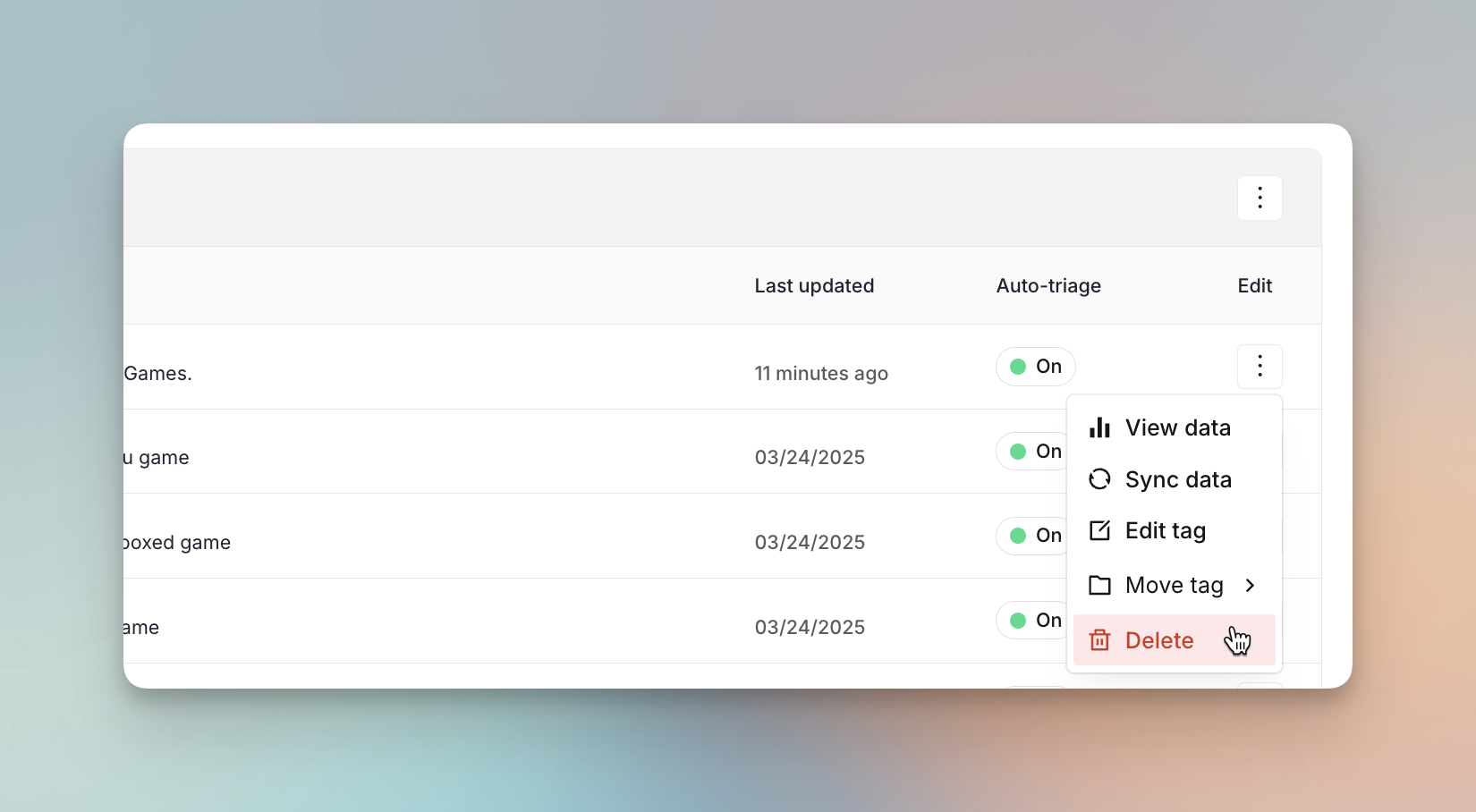
 ### Managing Tags
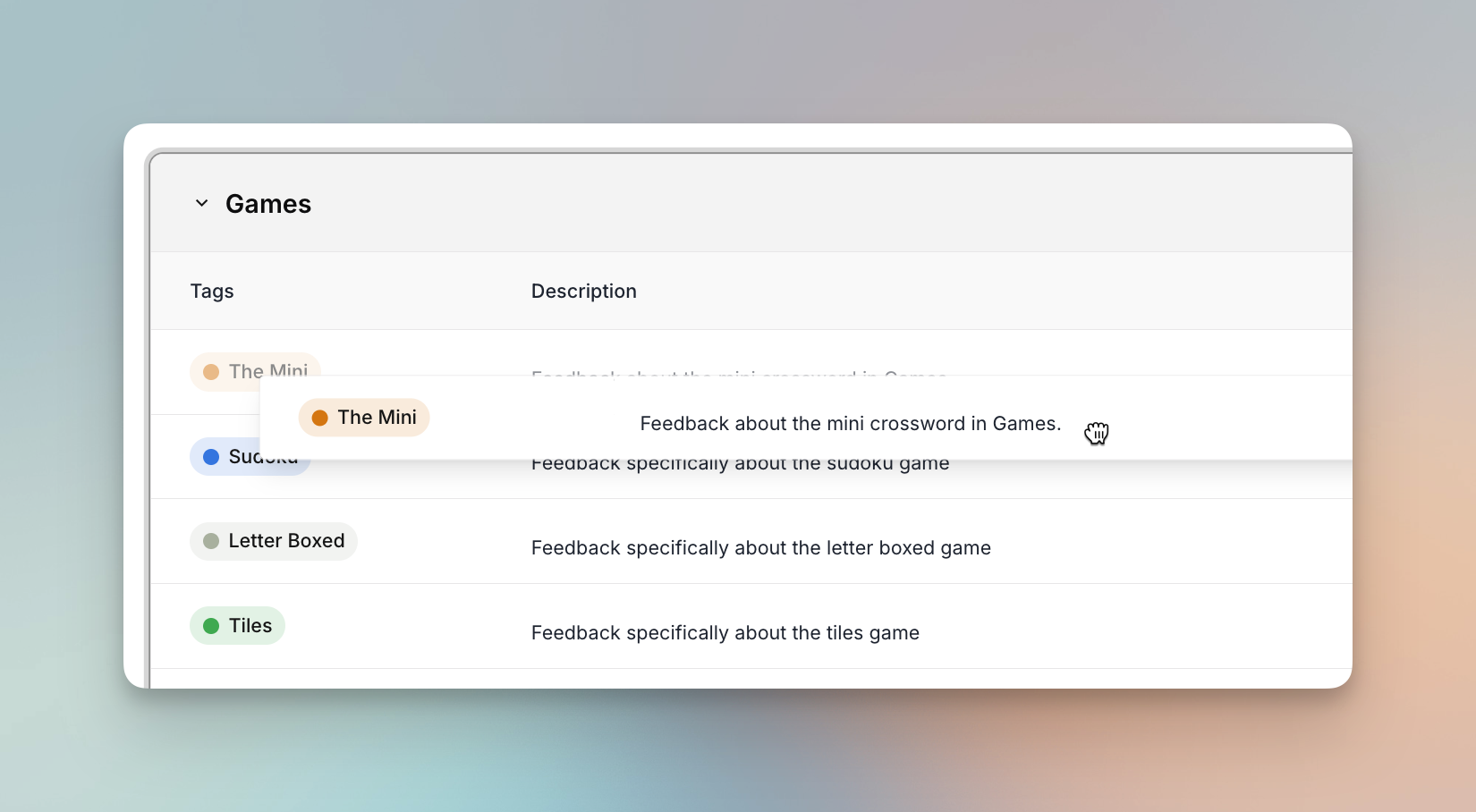
* **Edit or move** tags between groups anytime.
### Managing Tags
* **Edit or move** tags between groups anytime.
 * **Delete tags** you no longer need.
 ### Training your data
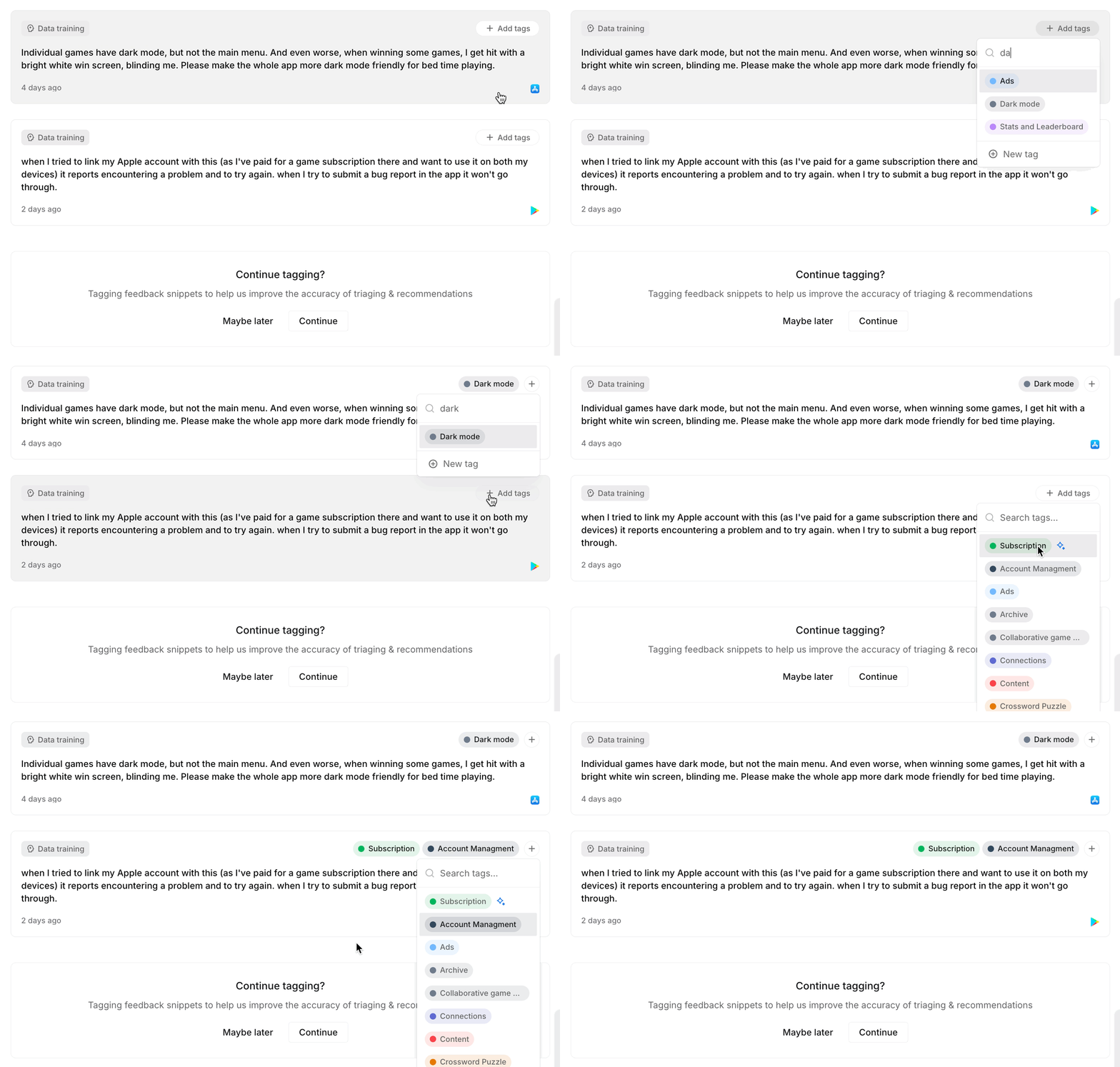
* In **Data training**, you’ll see a selection of feedback snippets.
* Assigning tags here **teaches the AI model** how to classify similar feedback in the future.
* In some cases, you'll see a recommended tag to assign based on the snippet content.
* Over time, this makes your feedback clustering and insights more precise.
### Training your data
* In **Data training**, you’ll see a selection of feedback snippets.
* Assigning tags here **teaches the AI model** how to classify similar feedback in the future.
* In some cases, you'll see a recommended tag to assign based on the snippet content.
* Over time, this makes your feedback clustering and insights more precise.
 ### Syncing data
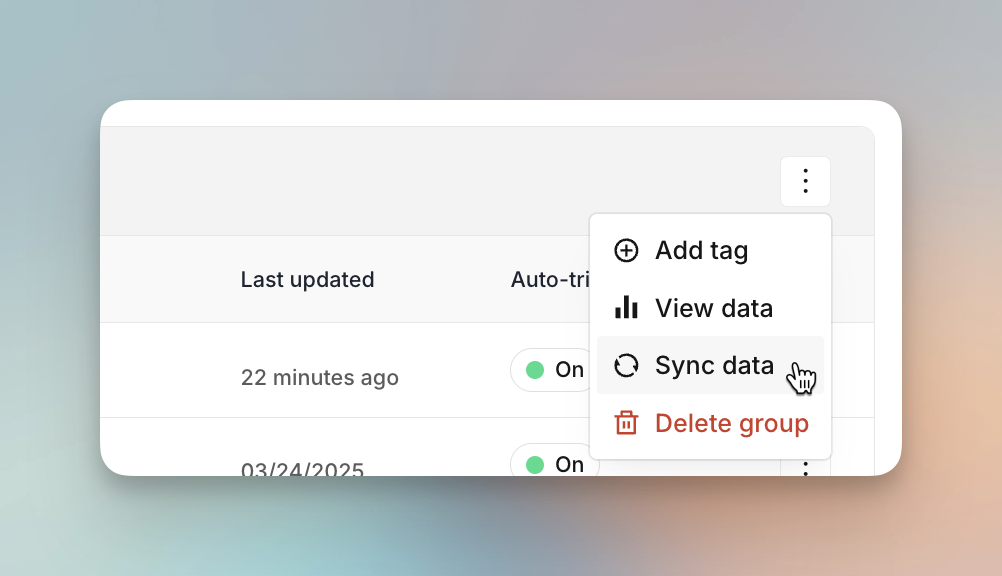
* Within a **tag group** or across all tags, you can **sync your data** after adding or editing tags.
* Syncing updates your AI model to ensure feedback is categorized correctly in future analyses.
### Syncing data
* Within a **tag group** or across all tags, you can **sync your data** after adding or editing tags.
* Syncing updates your AI model to ensure feedback is categorized correctly in future analyses.
 ### Viewing tagged feedback
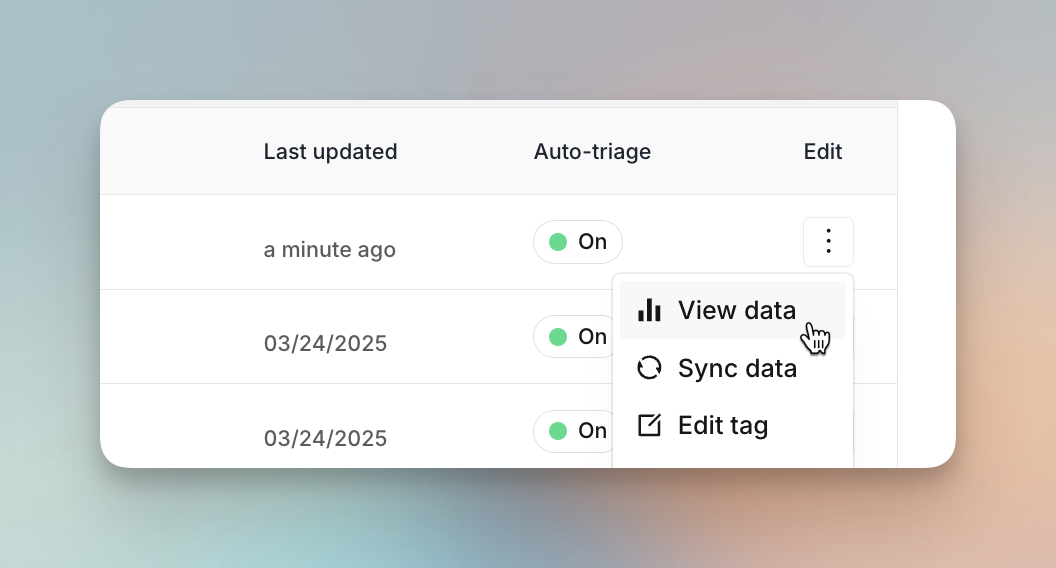
* From any tag or tag group, you can see **all feedback snippets** associated with it.
* From the **Snippets** page, review and manually adjust tags on individual feedback items.
* This gives teams a focused view of customer input for their specific area of work.
### Viewing tagged feedback
* From any tag or tag group, you can see **all feedback snippets** associated with it.
* From the **Snippets** page, review and manually adjust tags on individual feedback items.
* This gives teams a focused view of customer input for their specific area of work.
 ***
Tags ensure that as your feedback grows, it stays **organized, accurately clustered**, and actionable for everyone on your team.
***
Tags ensure that as your feedback grows, it stays **organized, accurately clustered**, and actionable for everyone on your team.