> ## Documentation Index
> Fetch the complete documentation index at: https://docs.monterey.ai/llms.txt
> Use this file to discover all available pages before exploring further.
# Advanced Features
> Power user tips and advanced capabilities
# Advanced Features
Take your Ask Monty usage to the next level with these advanced features and techniques.
## Conversation Management
### Saving Conversations
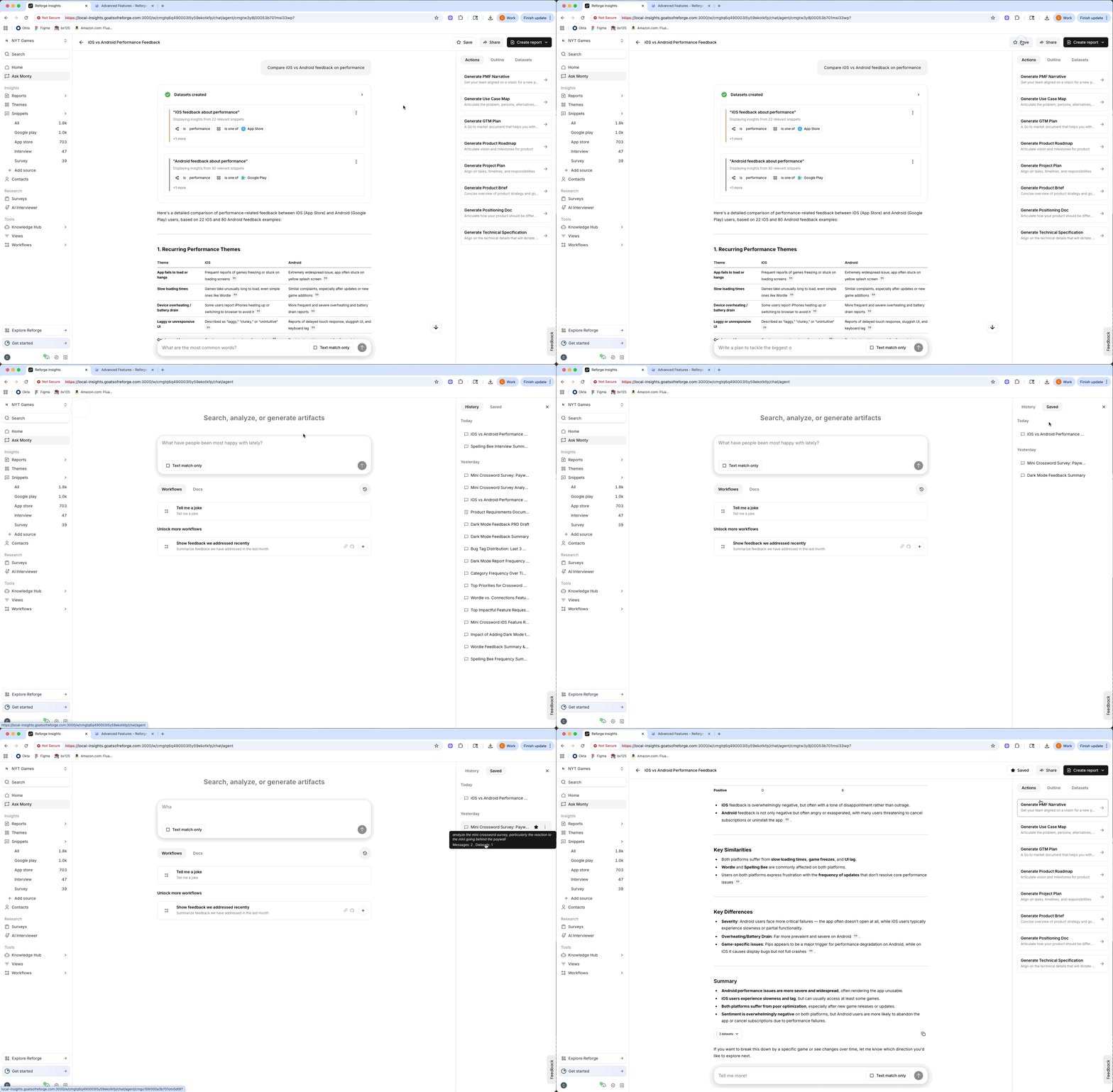
Important conversations can be saved for future reference:
1. Complete your analysis in a conversation
2. Click "Save" in the conversation menu
3. Find it later in your "Saved" list
 **Use saved conversations for:**
* Recurring analysis (weekly, monthly reviews)
* Reference examples for your team
* Templates for common questions
* Audit trail of insights
### Sharing Conversations
Share insights with anyone:
1. Generate a public share link
2. Recipients can view the conversation
3. They see all questions, datasets, and responses
4. No login required for viewers
**Use saved conversations for:**
* Recurring analysis (weekly, monthly reviews)
* Reference examples for your team
* Templates for common questions
* Audit trail of insights
### Sharing Conversations
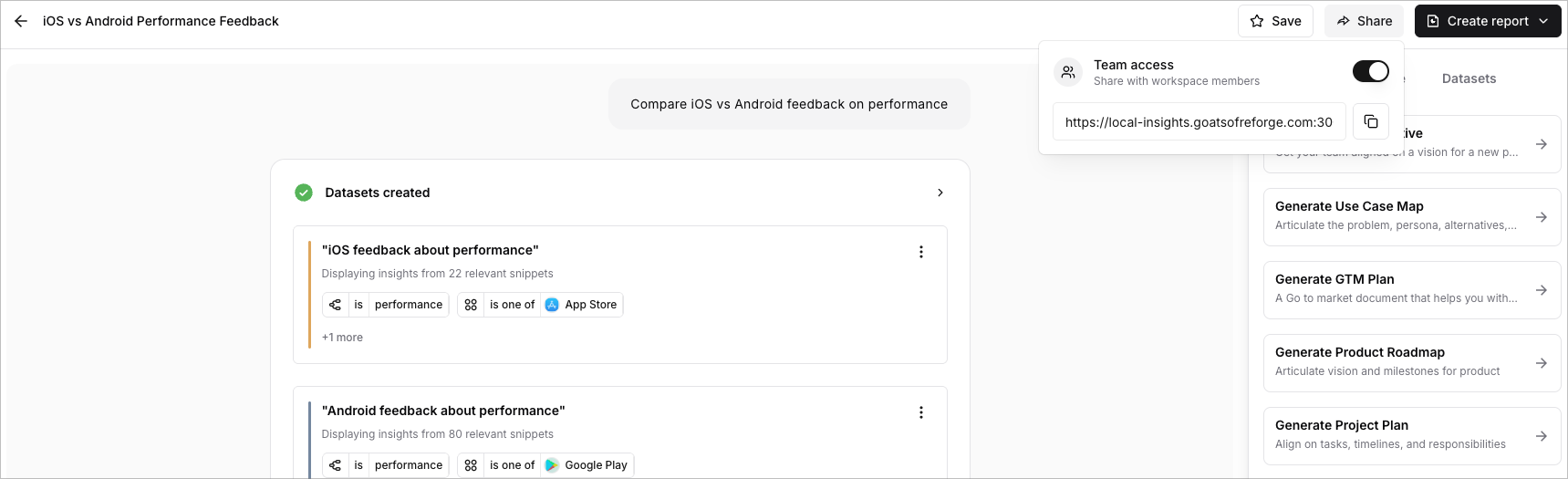
Share insights with anyone:
1. Generate a public share link
2. Recipients can view the conversation
3. They see all questions, datasets, and responses
4. No login required for viewers
 **What's included in shared links:**
* Full conversation thread
* All responses (text, charts, examples)
* Dataset information (not full data)
* Public view only (no editing)
**Use cases:**
* Share insights with stakeholders
* Include in reports and presentations
* Collaborate with other teams
* Customer-facing reports
## Alternative Entry Points
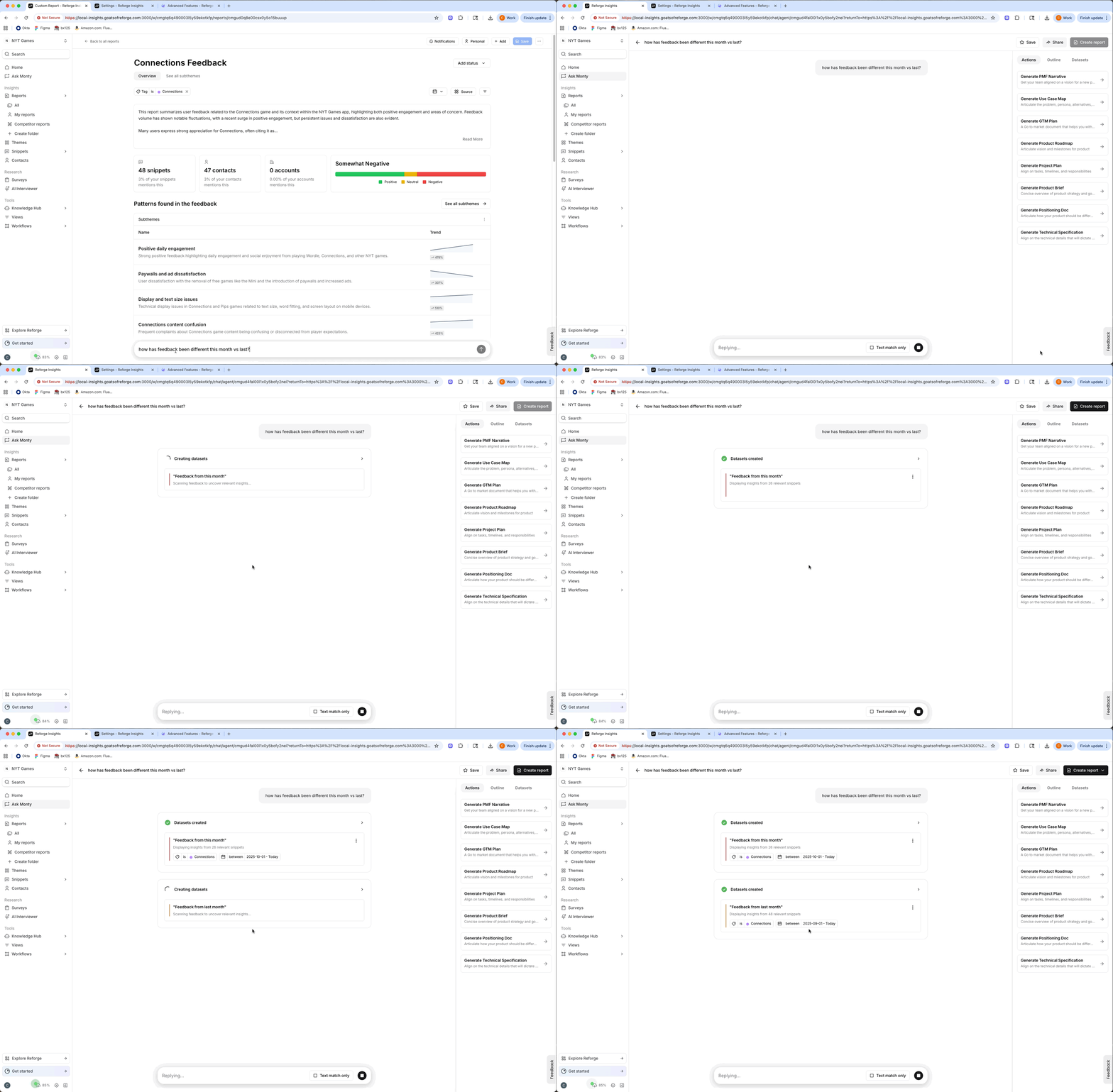
You can also start a conversation from the following places:
* Custom reports
* Filtered feedback snippet views
* The survey analysis page
* The interview analysis page
When coming from these locations, the original query will be pre-filtered based on the feedback filters present in the view.
For example, if you are coming from a report around "checkout bugs", and ask, "how's it been going the past week?", the chat will center around a dataset of checkout bugs from the last week.
**What's included in shared links:**
* Full conversation thread
* All responses (text, charts, examples)
* Dataset information (not full data)
* Public view only (no editing)
**Use cases:**
* Share insights with stakeholders
* Include in reports and presentations
* Collaborate with other teams
* Customer-facing reports
## Alternative Entry Points
You can also start a conversation from the following places:
* Custom reports
* Filtered feedback snippet views
* The survey analysis page
* The interview analysis page
When coming from these locations, the original query will be pre-filtered based on the feedback filters present in the view.
For example, if you are coming from a report around "checkout bugs", and ask, "how's it been going the past week?", the chat will center around a dataset of checkout bugs from the last week.
 ## Metadata and Custom Fields
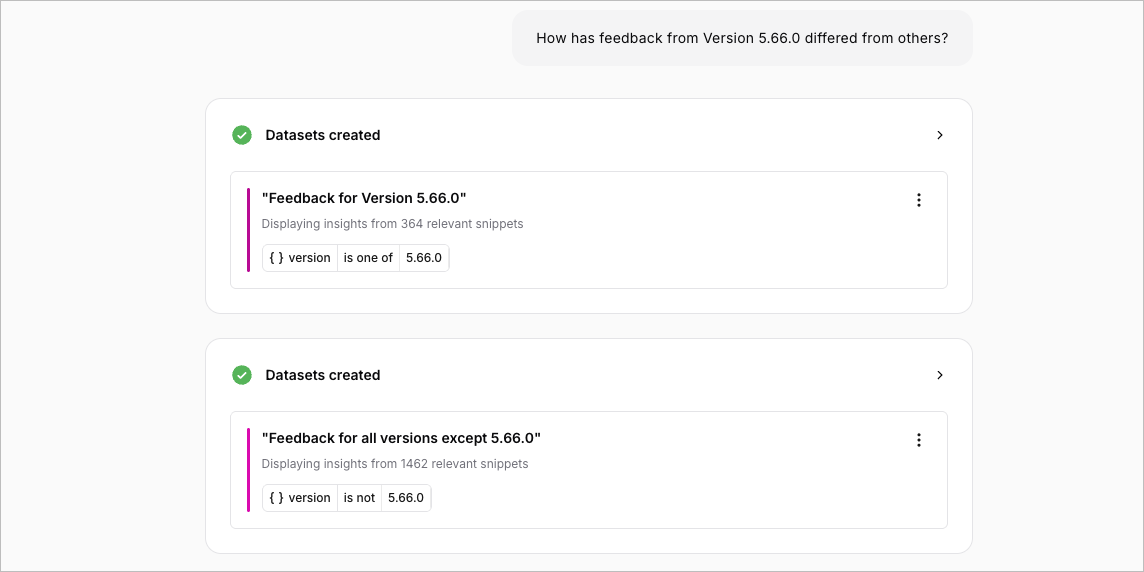
### Using Metadata in Questions
If you have custom metadata fields configured:
```
"Show feedback by app version"
"Compare feedback from paid vs free users"
"What are enterprise customers saying?"
"Chart bugs by operating system version"
```
### Available Metadata Types
* **Feedback metadata**: Version, platform, environment
* **Customer metadata**: Plan tier, signup date, status
* **Account metadata**: Company size, industry, ARR
To enable metadata for use in your worksapce, navigate to Settings -> Metadata, and enable "Chat Use" for each metadata key you want to use.
*Note: Metadata is only available for up to 10 metadata keys per workspace at this time.*
### Filtering by Metadata
```
"Summarize feedback where app_version is 2.5.0"
"Show bugs from users on the pro plan"
"Compare feedback across different company sizes"
```
## Metadata and Custom Fields
### Using Metadata in Questions
If you have custom metadata fields configured:
```
"Show feedback by app version"
"Compare feedback from paid vs free users"
"What are enterprise customers saying?"
"Chart bugs by operating system version"
```
### Available Metadata Types
* **Feedback metadata**: Version, platform, environment
* **Customer metadata**: Plan tier, signup date, status
* **Account metadata**: Company size, industry, ARR
To enable metadata for use in your worksapce, navigate to Settings -> Metadata, and enable "Chat Use" for each metadata key you want to use.
*Note: Metadata is only available for up to 10 metadata keys per workspace at this time.*
### Filtering by Metadata
```
"Summarize feedback where app_version is 2.5.0"
"Show bugs from users on the pro plan"
"Compare feedback across different company sizes"
```
 ## Competitor Analysis
If you have competitors configured:
### Creating Competitor Datasets
```
"What are customers saying about [Competitor]?"
"Show feedback mentioning [Competitor's feature]"
"Compare our pricing to [Competitor]'s pricing in customer feedback"
```
## Competitor Analysis
If you have competitors configured:
### Creating Competitor Datasets
```
"What are customers saying about [Competitor]?"
"Show feedback mentioning [Competitor's feature]"
"Compare our pricing to [Competitor]'s pricing in customer feedback"
```
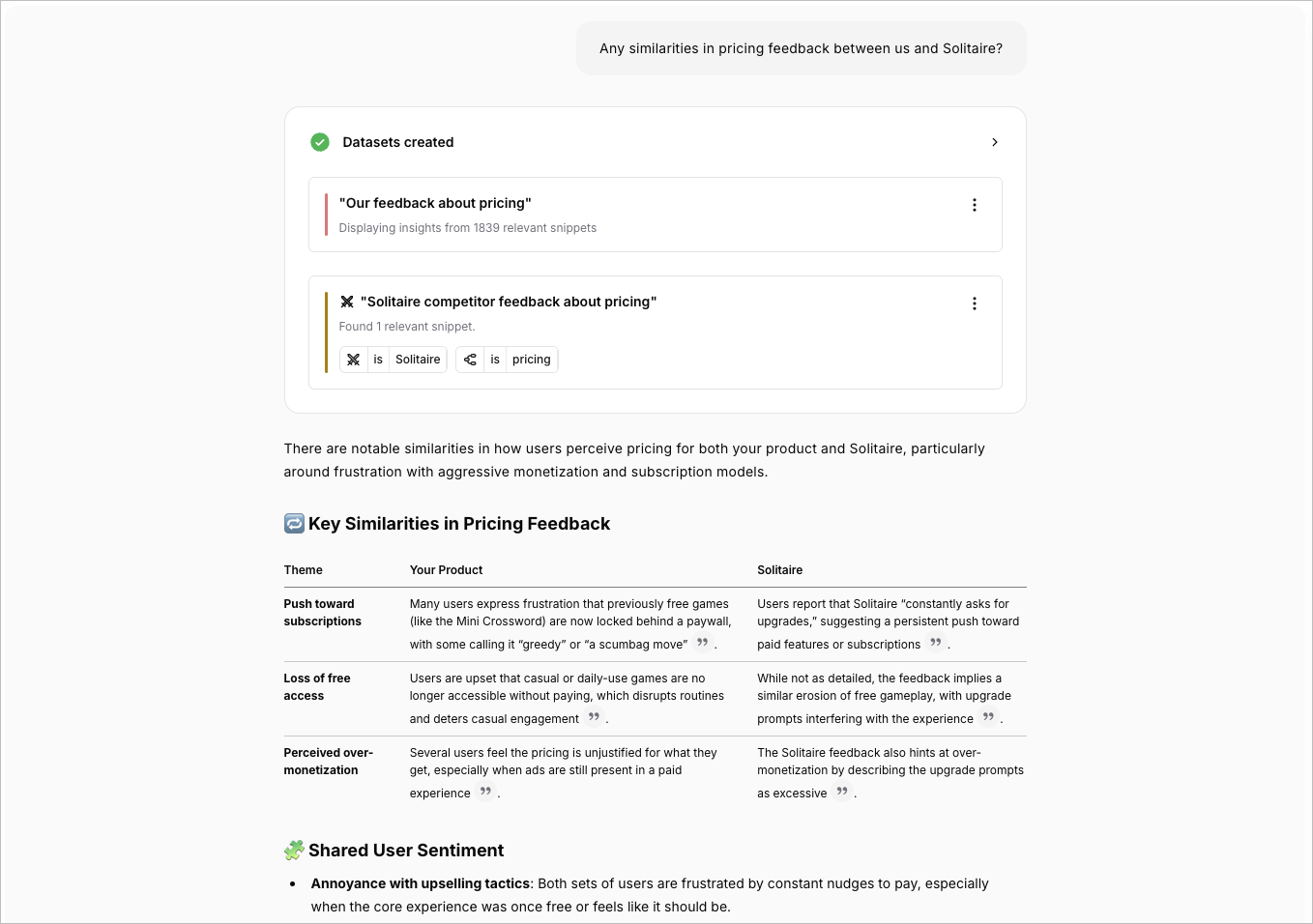 ### Competitor vs Your Product
```
"Compare feedback about our checkout to [Competitor]'s checkout"
→ Dataset 1: Your checkout feedback
→ Dataset 2: Competitor mentions in your feedback
→ Comparative analysis
```
### Analyzing Competitor Feedback
Monty can analyze:
* **Comparison mentions**: "X is better than Y"
* **Feature requests**: "Add Z like competitor has"
* **Migration reasons**: "Switched from/to competitor"
### Competitor vs Your Product
```
"Compare feedback about our checkout to [Competitor]'s checkout"
→ Dataset 1: Your checkout feedback
→ Dataset 2: Competitor mentions in your feedback
→ Comparative analysis
```
### Analyzing Competitor Feedback
Monty can analyze:
* **Comparison mentions**: "X is better than Y"
* **Feature requests**: "Add Z like competitor has"
* **Migration reasons**: "Switched from/to competitor"